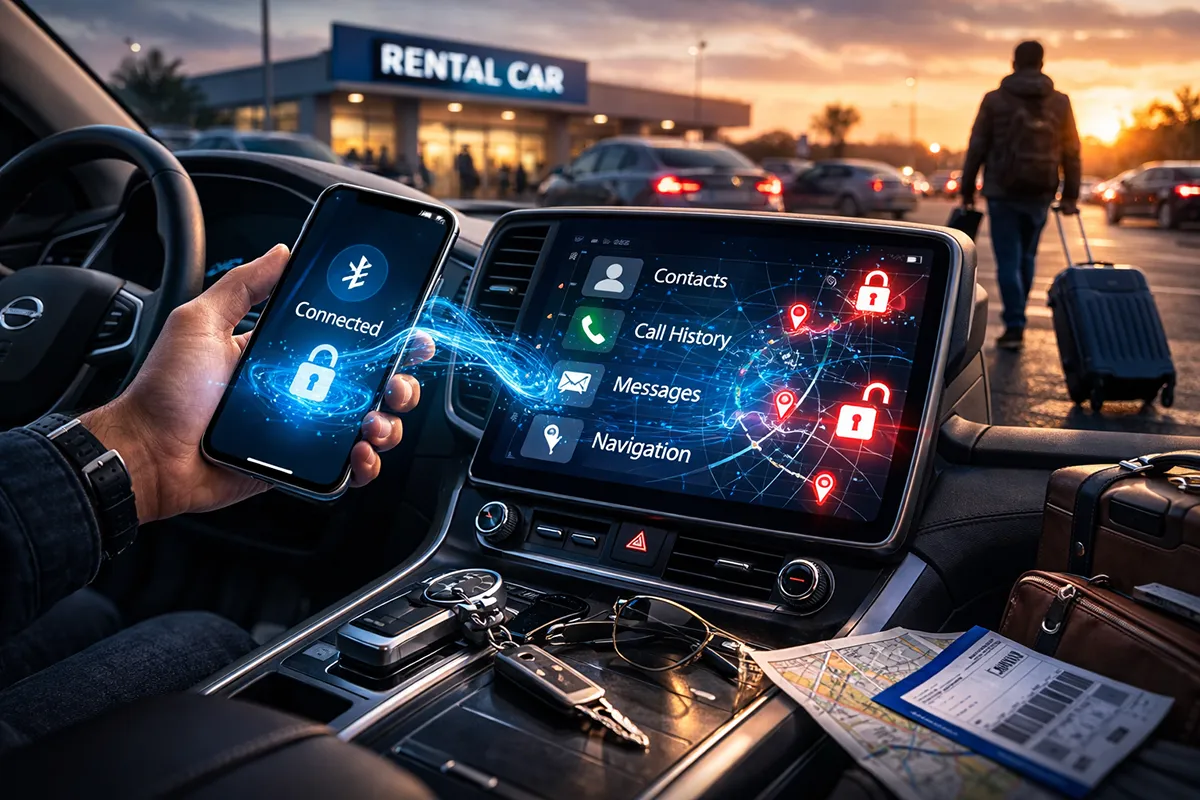
A recent LinkedIn post drew far more attention than I had anticipated. In just 48 hours, it reached over 75,000 impressions, far beyond the norm for my posts. That response made one thing clear: the topic struck a chord and deserved a deeper conversation than LinkedIn’s 4,000-character limit allows.
The High-Level Discussion – Digital Hygiene When You Travel
In a world that captures and connects every digital footprint, almost any account or device you expose becomes another piece that someone—or some company—can use to profile you. At the hotel, when you jump on the free Wi‑Fi or sign in with your Netflix account on the TV, or if you pair your phone to a rental car, you may be leaving far more behind than you realize if you make no effort to remove it. Most people also skim or ignore the terms and conditions they agreed to in the first place, which often spell out exactly how that information can be used when attaching to these services. The result is that you may be sharing far more than you would ever be comfortable handing over to the general public.
Now, to our beloved phones and the specific intent of this article. Something as simple as device naming still flies under the radar for many people, even though you can almost always modify the name of your device. In some ways, sticking with a generic factory label like “Pixel_7293” (thanks, current personal hotspot) can be preferable, because it says nothing about the user beyond being in range and available for connection. But when your settings broadcast “John’s iPhone,” often created during the startup process with a new device, or you manually rename it to something like “DEA Hotspot,” you may be handing strangers your name, hints about your job, or the image you want them to have, whether serious or meant as a joke. In crowded places like stadiums, these names can blend into the noise; in quieter spots like airport gates or small offices, those details make it much easier to connect devices to specific people.
Although this is not the primary focus of the article, I would regret not adding one clear warning: At a minimum, require a password before anyone can connect to your device if you use it as a hotspot; the setting is easy to find and simple to enable. Conversely, steer clear of random open hotspots. Even if you are desperate for a connection, you are inviting trouble, and this also includes networks that look legitimate at airports or offices (a topic for another day).
For the rest of this article, I’m zeroing in on cars, because out of all the places we casually sync, vehicles are one of the most overlooked data traps.
Privacy in the Dashboard: What Your Car Remembers After Your Phone Is Gone
In an era where every gadget from your kitchen appliances to your toothbrush wants a piece of your data, cars have quietly become some of the largest collectors. You plug in your smartphone for hands-free calls or navigation, or conveniently use Bluetooth functionality, and before you know it, fragments of your contact list, call history, and even text messages are lingering in the vehicle’s head unit long after your device has moved away. This isn’t paranoia; it’s well documented in privacy audits, security research, and teardown studies.
The Worst Offenders: Automakers’ Data Hunger
Before diving into how to delete your phone data, it is worth stepping back to understand what cars are actually collecting and often storing these days. Worse still, nearly every major automaker treats your personal information like a commodity, routinely storing it and, in many cases, sharing it with third parties. For anyone who cares about control over their digital footprint, it is time to get clear on what is really at stake.
An eye‑opening resource is Mozilla’s landmark 2023 “Privacy Not Included” report, which tested 25 major vehicle manufacturers and concluded that cars are now the worst product category it has ever audited for privacy. Every one of them failed basic privacy tests, and 84 percent were found to share data with third parties. Tesla topped the “creepiest” list, vacuuming up cabin camera footage, driving behavior, frequent location pings, and in‑car interactions, often backed by vague user controls and broad sharing policies.
Toyota collects “way more than necessary,” including voice commands and location trails that have already leaked in past breaches. Volkswagen and Audi log demographics, braking patterns, and seatbelt use, sometimes for marketing purposes. Hyundai and Kia’s policies nod to sensitive categories such as religion or “sex life” alongside standard telematics data. Stellantis brands like Jeep and Dodge capture biometrics and even driver’s license scans. Honda shares driving score metrics with insurers, while companies like GM, Kia, and Subaru feed driving and connected service data to data brokers.
These are not theoretical concerns. Automakers sell “enriched” driver profiles to insurers, which can then raise your premiums based on habits scraped from your head unit and phone sync activity. Even in‑vehicle contact and text data fuel this ecosystem, enriching profiles that may still be traceable back to individuals despite claims of anonymity.
It is bad enough to realize how much your own car is tracking. But throw a rental into the mix, often from an unfamiliar manufacturer, and suddenly you are handing your data to an entirely unknown player with opaque policies and little you can inspect or control.
The Hidden Cache: What Cars Actually Store
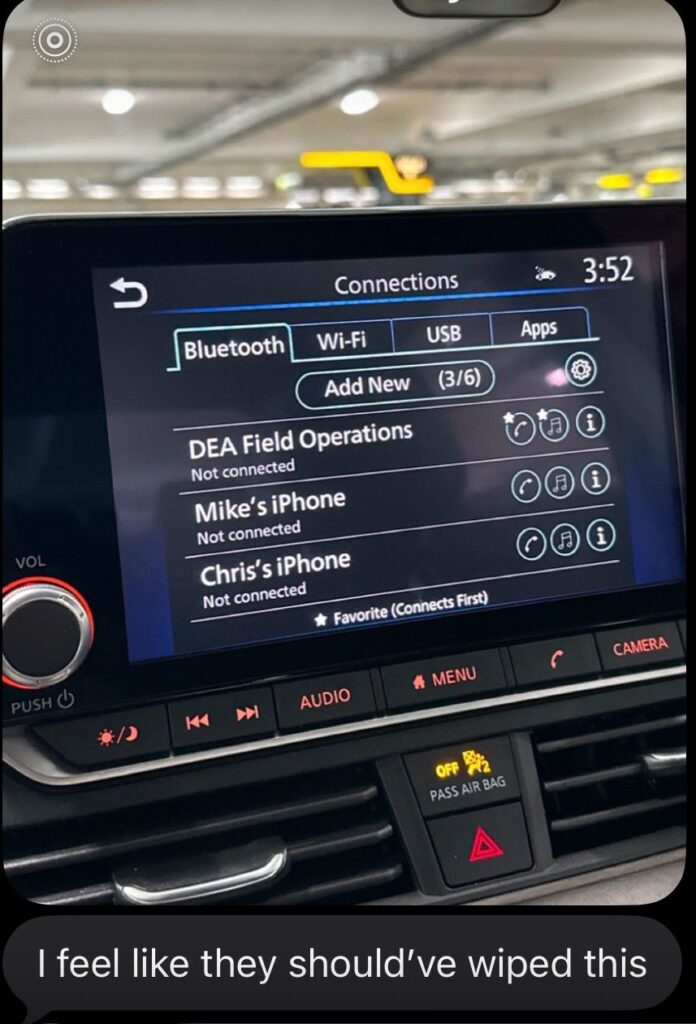
Modern infotainment systems aren’t just screens; they’re mini-computers with flash storage that grab data via Bluetooth protocols like Phone Book Access Profile (PBAP) for contacts and Message Access Profile (MAP) for messages. When you pair your phone, the car often downloads your full contact list, recent calls, and message previews to enable quick dialing and reading texts aloud. Disconnect the phone, and that data doesn’t always vanish. Security researchers have pulled full contact books, call logs, and partial texts from head units using forensic tools, even when the user interface shows nothing suspicious.
From the driver’s seat, without any tools, you might still spot paired device names, recent call lists, or synced phonebooks in the menu. Navigation history, your home address, work routes, frequent stops, live natively in the car.
Apple CarPlay and Android Auto are somewhat better as they project from your phone rather than storing much locally, but most cars layer Bluetooth syncing on top for “convenience,” copying data anyway. The result? Your car becomes a rolling hard drive of your social graph.
Now Apply the Above to the Rental/Loaner Car
While your personal car is grabbing all this data, at least it is your car, and generally under your control. Just as important, at some point you may have even read the manual (maybe) and have a basic understanding of the various functions.
If you just rented an unfamiliar vehicle and jump in, the best I can do is wish you luck. I have had recent personal examples where I may as well be trying to fly a plane. No physical buttons to control anything, check. A screen that crosses from one side of the vehicle to the other with no intuitive logic, check. The thought, who the hell would buy this car, check! So, completely wiping data from a rental or loaner car’s infotainment system is often a frustrating scavenger hunt, especially without any manual to guide you through brand-specific menus that vary wildly between models.
You might spend 20 minutes poking around a Toyota’s Bluetooth settings only to find the “Delete Phonebook” option buried under “System Information.” At the same time, Kia hides nav history deletion behind a multi-step service mode that requires holding two buttons on the steering wheel … best of luck guessing that without help. And then the dreaded time pressures mentioned in the post seal the deal; with a flight to catch or a return deadline looming, most folks sync their phone for convenience, drive off, and leave a digital breadcrumb trail for the next stranger. Studies confirm fewer than half even attempt a full clear. In the end, you’re piloting a black box designed for owners, not transients, forcing you to either risk exposure or skip syncing altogether.
Rental car horror stories abound and studies confirm this across brands; a 2024 survey found personal identifiable information (PII) left behind in 80 percent of tested vehicles post-pairing.
Reclaiming Control: Practical Defenses
The easiest and maybe smartest play is skipping the sync altogether when it comes to a rental vehicle, keeping all data locked on your device with zero exposure to the car. But if necessity or convenience wins, and you pair up for hands-free bliss, commit to a deliberate cleanup ritual before return.
Start on the prevention side. Before even connecting, go to your phone’s Bluetooth permissions and flat-out deny the car access to contacts and SMS via PBAP and MAP protocols. This starves the head unit from the start.
Once you have used it, dive back in post-drive for the full purge. Navigate to the infotainment’s Bluetooth or Phone menu to unpair every device. Then hunt down and delete any cached contacts, call logs, and message previews, which often lurk in submenus like “Phonebook Management.” Then progress to Navigation settings to wipe history, favorites, and saved spots like home or work. No one needs your address haunting the next driver. Finally, search the system for a “Delete Personal Data,” “Clear User Info,” or full infotainment reset option. Seems like a lot, and it is fair to ask how do I really do this? Here is a tip, a quick YouTube query like “[model] [year] clear data” often reveals model-specific general cleaning as well as hacks, such as steering-wheel button combos.
Do not stop at the car. Circle back to your phone to forget the vehicle’s pairing entirely and revoke any lingering permissions in the automaker’s app if you installed one. Make this a habit. You are not just cleaning up. You are reclaiming control in a world where cars treat your life like open-source code.
Finally, The Real Gripe: Rental Companies Must Own Some of the Responsibility With This Mess
Rental companies need to step up and own their piece. They hand you data-sucking keys, then shrug with “wipe yourself” fine print like it’s trivial. Because I know everyone reads the terms and conditions before you agree to them, let me remind you with an example from an unnamed major company, whose fine print states, “It is your responsibility to delete any Bluetooth synced data from the vehicle upon your return. You acknowledge and agree that, to the extent permitted by law, Company X shall not be liable for any loss or damage arising from your failure to do so.” Like with most terms and conditions in life, you accept them or move on, there is really no way to negotiate the in-between.
The reality just discussed above is clearing contacts/nav/calls isn’t one-tap. Original equipment manufacturer (OEM) mazes vary. Toyota buries deletes, Kia demands safe-cracking button holds, and I have yet to ever rent a car with a manual provided unless, ironically, electronically stored in the infotainment system.
In other parts of the world, this concern is already being addressed. As an example, European laws, primarily the European Union’s ePolicy directive, the General Protection Data Regulation (GDPR), hold rental car companies accountable as data controllers for PII left in infotainment systems, treating undeleted contacts, nav data, or texts as breaches with fines up to €20M or 4% global turnover. Those fines feels substantial, and appear to be working. So, what are we waiting for major companies? You could implement the same policies you are already using overseas, or wait for laws to define what forward thinking responsible companies should already have in place.
Drive safe everyone.